Software · ECUPrime Studio
ECU Remapping Software That Runs in Your Browser
Chiptuning software with no installation: it identifies your ECU from the file itself and applies the verified solution from the library; you edit maps yourself in Hex, Table, 2D and 3D view and fix the checksum in a separate tab with the built-in PrimeChecksum — from cars to trucks, tractors and construction machines.
What it does
Identifies → Applies → Edits
Identifies
Identifies the ECU from the file itself; no need to pick a make or model from a list. The pre-check is free: you see the operations that apply to your file without spending credits.
Applies
Only the verified solutions from the library that genuinely apply to your file are enabled. The solution is verified at byte level as it is applied; if one of your selected operations cannot be applied, the file is not delivered and the credit is refunded.
Edits
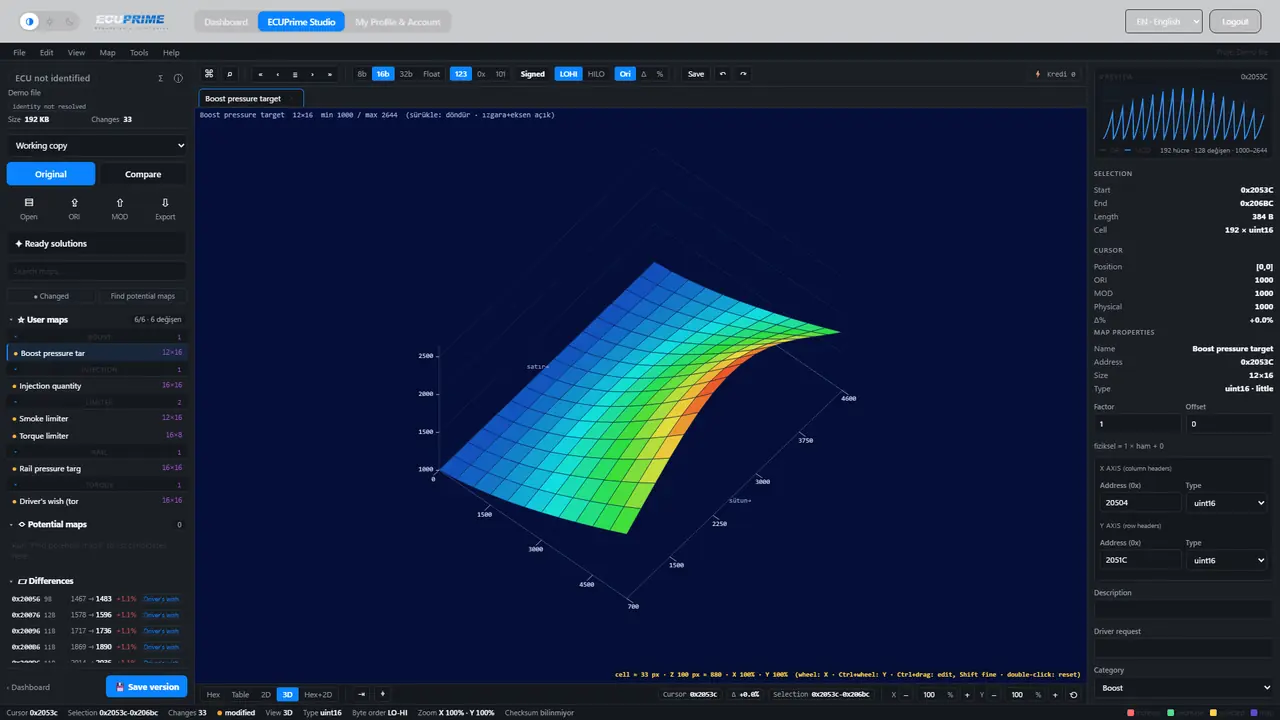
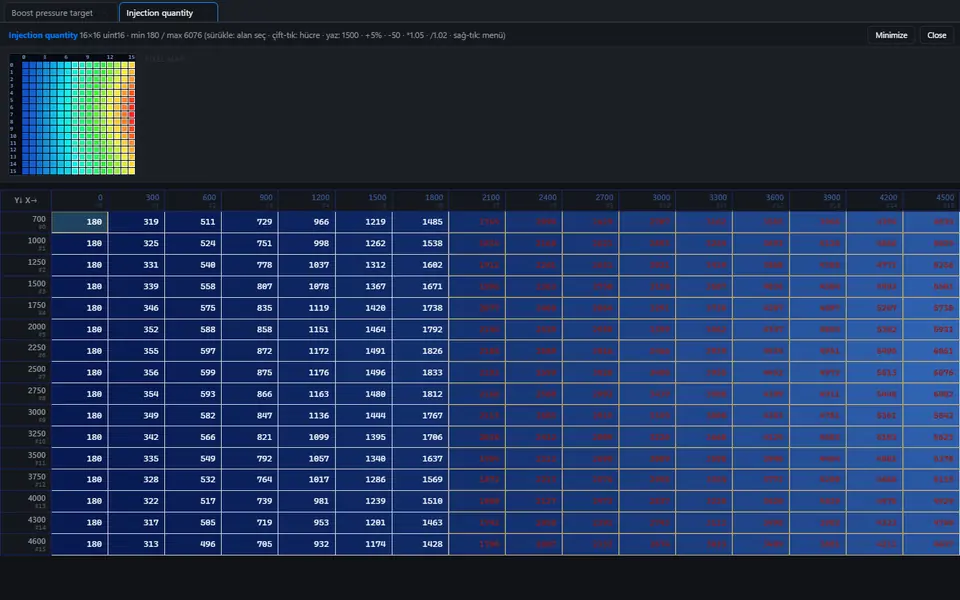
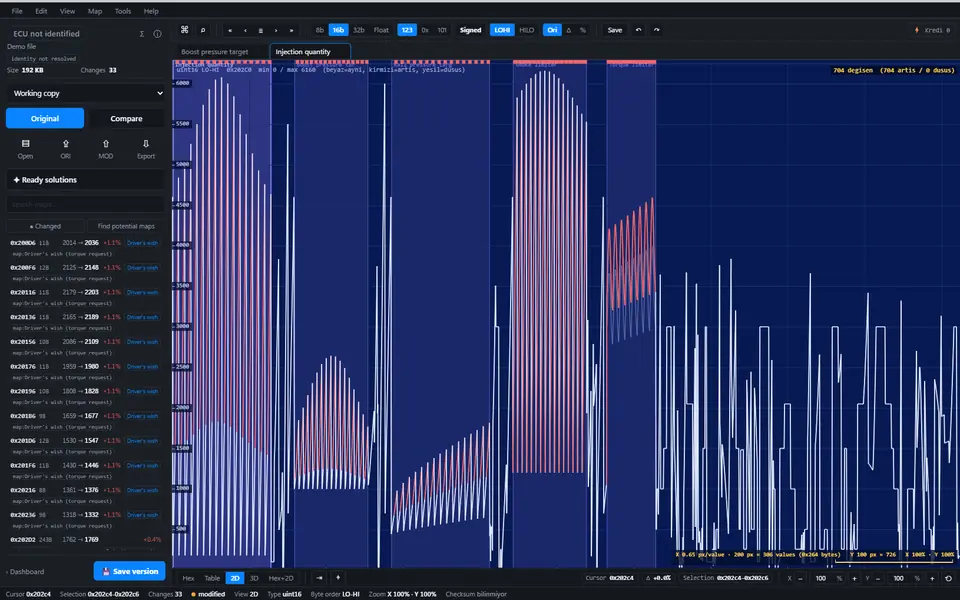
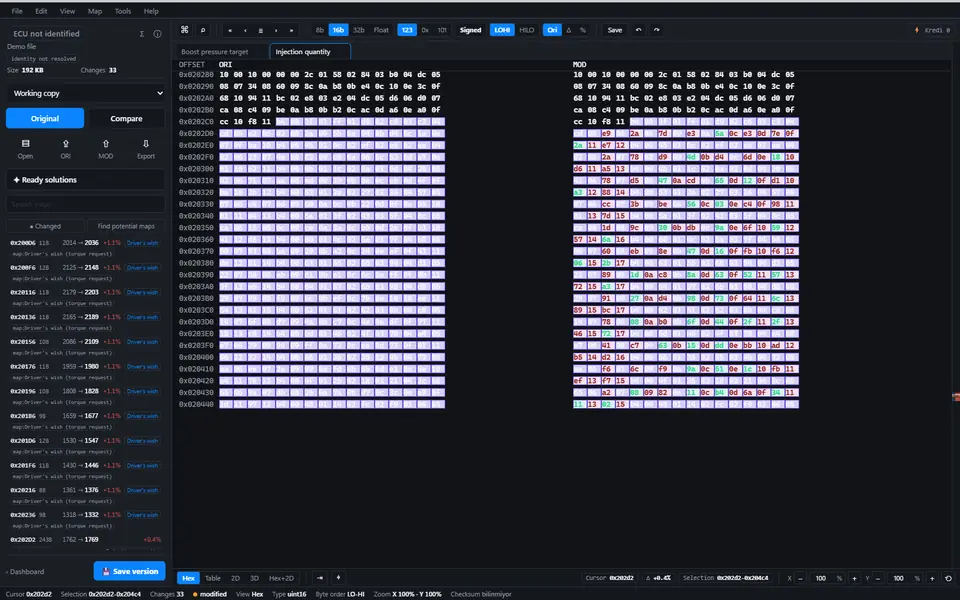
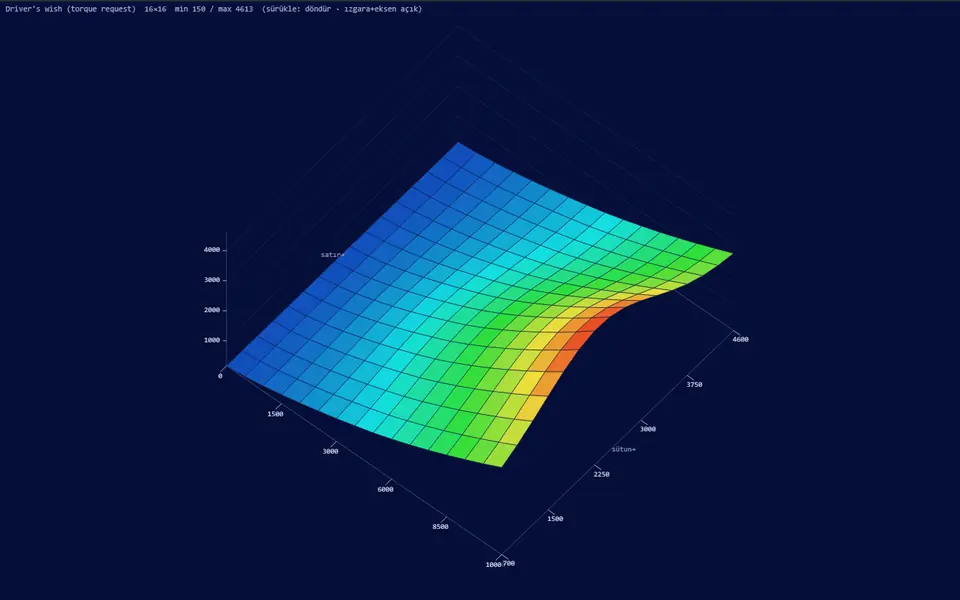
ECUPrime Studio: Hex, Table, 2D and 3D view; potential map finder, ORI/MOD differences list and compare, undo/redo, saved versions and the Ctrl+K command palette — in the browser, no installation.
Real screens
Real screens from ECUPrime Studio
Screenshots taken from Studio itself; the loaded file is a synthetic demo file, not customer data.
Operations
Supported operations
Each operation page lists the ECU families and vehicle types that support it.
Operations on emission systems are offered only for use permitted by local law (e.g. off-road / motorsport / export); responsibility lies with the user.
PrimeChecksum
Checksum and the honest limit
Inside the platform
The ECU is detected from the file and the original is requested when needed; the output is only your own file and your tune is preserved.
The honest limit
Checksum correction happens inside the platform, in a separate tab: 1 credit, charged only when the result is ready. Some newer-generation ECUs (RSA-signed) need an external tool; the system detects this and warns you.
Coverage
Vehicle types
Vehicle types with verified solutions in the library; tap one to open that tab of the ECU list.
Brands
Supported brands
Tap a brand to open its ECUs in the list.
























Control units
ECU manufacturers




















Performance
Typical Stage 1 gains
Typical range by engine type.
Gains vary by vehicle hardware and file; typical ranges are indicative.
Pricing
Price summary
A module job costs 1 credit (any number of modules in one job); Stage 1 costs 2 credits for cars/bikes and 3 for trucks, tractors and construction machines. No credit is charged for a job without a result. A package is bought once and renewed every year with the annual licence. Prices exclude VAT.
Prefer a ready file?
If you would rather not edit, the chiptuning file service applies the verified solution from the same library to your file; you download the result from your panel.
Help
Frequently asked questions
What is chiptuning software, and which programs are used?
Chiptuning software is used to edit the software file read from an ECU. Three kinds are common: desktop map editors, editors that run in the browser and file services that deliver a ready file. EcuPrime combines the automatic solution with a browser editor: it identifies your file and applies the verified solution, and you can edit the maps yourself in ECUPrime Studio.
Do I need an installation or a dongle?
No. ECUPrime Studio runs in the browser; no installation or licence dongle is needed. Log in with a free account and upload your file.
Which reading tools are compatible?
The system looks at the file itself, not the reading tool: upload the original (raw) file read from the ECU and the ECU is identified from the file. KESS3, Autotuner, FLEX and similar names are trademarks of independent manufacturers; EcuPrime is not their dealer or representative; we provide solutions for files read with these tools.
Do you correct the checksum?
Yes. Checksum correction happens inside the platform, in a separate tab: 1 credit, charged only when the result is ready. Some newer-generation ECUs (RSA-signed) need an external tool; the system detects this and warns you.
How much power does Stage 1 add?
Typical range by engine type — Turbo diesel: power +20–30%, torque +25–35%; Petrol (turbo engines): power +15–25%, torque +15–25%; Diesel (heavy-duty): power +15–25%, torque +20–30%. The horsepower figure depends on the vehicle's stock output. Gains vary by vehicle hardware and file; typical ranges are indicative.
How is the price calculated?
A module job costs 1 credit (any number of modules in one job); Stage 1 costs 2 credits for cars/bikes and 3 for trucks, tractors and construction machines. No credit is charged for a job without a result. A package is bought once and renewed every year with the annual licence. The pre-check is free.
What if my file is not recognised?
Request a solution for that file from your panel: the file goes to our team and no credit is charged for the request. Support time depends on your package level (NORMAL / FAST); the request status and answer appear in your panel, in the Support & Requests tab.
Is chiptuning legal?
It depends on the country and the intended use; complying with local law is the user's responsibility. The condition for operations on emission systems is stated in the note under the operations section.
Start today
A free account for dealers and tuning pros: upload your file, see which operations work, apply your solution.
Create free account